
.png)
Description
Download Best SAT Score – AI‑Powered SAT Prep Tool for Free, Secure, and Fast Study
Overview
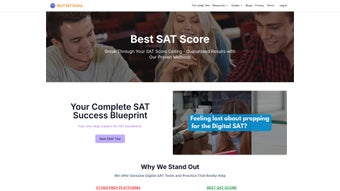
Preparing for the SAT today requires more than just a static workbook; it demands a study partner that can adapt to each learner’s pace, pinpoint weaknesses, and keep motivation high. Best SAT Score answers that call with a cloud‑based platform that blends curriculum‑aligned content with an artificial‑intelligence engine. The core experience revolves around adaptive full‑length practice tests that automatically modify difficulty based on real‑time performance, ensuring every session feels challenging yet achievable. By focusing on the Reading, Writing, and Math sections, the tool targets the concepts that most heavily influence a college‑entrance score.
What sets Best SAT Score apart is its scientific learning methodology. The application incorporates spaced‑repetition flashcards, an AI‑driven study planner, and a detailed performance analytics dashboard. Together these components create a personalized learning pathway that aligns with a student’s target score and test date. Whether the goal is a solid 1300 or a perfect 1600, the software generates a study schedule that respects preferred study times, daily availability, and progress trends. The instant SAT score calculator delivers quick feedback after each test, allowing learners to track improvement and adjust their plan in real time.
Designed for the modern digital SAT format, Best SAT Score offers a secure, cloud‑first environment accessible from any device with an internet connection. Its user‑friendly interface, coupled with step‑by‑step explanations for every question, makes it valuable for first‑time test‑takers and seasoned veterans alike. Below we explore the key features, walk through the installation process, examine compatibility, and weigh the strengths and limitations of this AI‑enhanced preparation suite.
Key Features & AI Benefits
- Adaptive Full‑Length Practice Tests – Difficulty adjusts automatically based on real‑time answers.
- Extensive Question Bank – Over 10,000 SAT‑aligned items covering Reading, Writing, and Math.
- Step‑by‑Step Explanations – Detailed solutions with optional video walkthroughs.
- Spaced‑Repetition Flashcards – Optimized review intervals for long‑term retention.
- AI‑Powered Study Planner – Generates a customized schedule that evolves with performance.
- Instant Score Calculator – Provides quick estimated scores after each test.
- Performance Analytics Dashboard – Visual charts highlight strengths, weaknesses, and trends.
- College Admission Insights – Predictive analytics estimate admission chances based on projected scores.
- Secure Cloud Sync – Progress saved securely and accessible across Windows, macOS, Android, and iOS browsers.
- Quarterly Content Updates – New question sets keep the material aligned with College Board changes.
The AI engine behind Best SAT Score mimics a personal tutor by analyzing answer accuracy, response time, and error patterns during each practice session. This data feeds a machine‑learning model that predicts which topics will benefit the learner most next. For example, if a student repeatedly misses geometry proofs, the system prioritizes geometry flashcards and injects additional geometry items into subsequent tests. This dynamic adaptation reduces wasted study time and maximizes efficiency.
Spaced repetition, a research‑backed learning technique, is seamlessly integrated into the flashcard system. Rather than presenting all cards at once, the AI schedules reviews at optimal intervals—typically after one day, three days, a week, and then monthly—based on how well the learner retained each concept. This approach dramatically improves recall for vocabulary, grammar rules, and math formulas that are essential for the SAT.
The AI‑driven study planner further enhances personalization. Users input their test date, current practice score, and desired target. The planner then breaks the remaining weeks into daily tasks, balancing full‑length tests, focused topic reviews, and short flashcard sessions. If a student falls behind or accelerates, the planner recalibrates automatically, keeping the schedule realistic and goal‑oriented. The result is a study experience that feels custom‑built without the need for manual tracking—a major time‑saver for busy high‑school students.
Installation, Usage & Compatibility
Getting Started
Best SAT Score is a web‑based application, so there is no heavyweight client to install. Students begin by visiting the official website, creating a free account via email or Google/Apple sign‑in, and confirming the account through a verification link. After login, a brief 15‑minute diagnostic quiz evaluates baseline proficiency and seeds the AI engine with initial data.
Step‑by‑Step Access
- Open a modern browser (Chrome, Firefox, Safari, or Edge) on any device.
- Navigate to bestsatscore.com and click “Sign Up”.
- Enter your email or use a social sign‑in; verify the account.
- Complete the diagnostic quiz to initialize the AI.
- Select a subscription tier – the free tier provides limited tests and flashcards; premium unlocks full adaptive testing, unlimited flashcards, and deep analytics.
- Launch your first practice test from the dashboard.
Operating System & Device Compatibility
Because the platform uses responsive web technologies, it runs smoothly on Windows 10/11, macOS Ventura and later, Chrome OS, Android 8.0+, and iOS 13+. All data is stored in the cloud, allowing seamless switching between a laptop at home, a tablet in the library, or a smartphone on the bus without losing progress. The interface automatically adapts to screen size, delivering an optimal experience on both 15‑inch laptops and 5‑inch phones.
Tips for Effective Use
To maximize results, treat Best SAT Score as an ecosystem rather than a single tool. Begin each week by reviewing the analytics dashboard; it highlights question types that caused the most errors and suggests targeted flashcard sets. Schedule at least two full‑length adaptive practice tests per month, spaced to allow thorough review of explanations. Use the “Study Planner” to block short 20‑minute flashcard sessions during commute times—these micro‑learning bursts reinforce concepts without overwhelming the learner.
After each test, leverage the instant score calculator to compare the estimated score with your target. Adjust the planner accordingly. The “College Admissions Predictor” offers a useful benchmark by estimating admission likelihood based on projected scores, GPA, and intended major, though personal research remains essential.
Pros, Cons & Frequently Asked Questions
Pros
- Adaptive testing tailors difficulty to individual performance, keeping practice realistic.
- AI‑driven study planner eliminates manual scheduling and updates automatically.
- Spaced‑repetition flashcards boost long‑term retention of vocabulary and formulas.
- Comprehensive analytics provide clear insight into strengths, weaknesses, and progress trends.
- Cross‑platform compatibility ensures seamless access from Windows, macOS, Android, and iOS.
- Secure cloud storage protects data and enables instant sync across devices.
- Quarterly content updates keep the question bank aligned with the latest SAT format.
- Free tier lets users test the platform before committing to a paid plan.
Cons
- Requires a stable internet connection; offline access is limited to previously loaded content.
- Full analytics and unlimited practice tests are locked behind a premium subscription.
- Some users may prefer a native desktop app for deeper system integration.
- The initial diagnostic quiz can feel time‑consuming for eager students.
- Performance analytics are data‑rich, requiring a learning curve to interpret effectively.
Is there a free version of Best SAT Score?
Yes. The free tier includes limited adaptive practice tests, a subset of flashcards, and basic performance analytics. Upgrading to a premium plan unlocks unlimited tests, full analytics, and advanced study planning.
Can I use Best SAT Score on a mobile device?
Absolutely. The responsive web interface works on Android and iOS browsers, and all progress syncs to the cloud, allowing seamless switching between phone, tablet, and computer.
How does the AI adjust the difficulty of practice tests?
During a test, the AI monitors answer accuracy, response time, and error patterns. If a student consistently answers correctly, the system raises difficulty; if errors increase, it presents easier items and highlights underlying concepts for review.
What is spaced repetition and why is it useful for SAT prep?
Spaced repetition schedules reviews at increasing intervals, aligning with how memory works. By revisiting flashcards just as you’re about to forget them, the technique strengthens long‑term recall—crucial for vocabulary, grammar rules, and math formulas on the SAT.
Does Best SAT Score provide college admission predictions?
Yes. The platform includes a predictive analytics tool that estimates admission likelihood based on projected SAT score, GPA, and intended major. While useful as a benchmark, students should still conduct personal research on each school’s criteria.
Conclusion & Call to Action
In today’s competitive college‑admissions landscape, having a study partner that learns from you can be the difference between a good score and a great one. Best SAT Score delivers an adaptive, AI‑driven experience grounded in proven learning science through spaced repetition and data‑rich analytics. Its cloud‑first design guarantees access across Windows, macOS, Android, and iOS devices, while the intuitive study planner removes guesswork from scheduling.
If you’re serious about boosting your SAT performance—whether you’re aiming for a scholarship‑level score or simply want confidence on test day—give Best SAT Score a try. Start with the free tier to explore adaptive tests and flashcards, then upgrade to the premium plan for unlimited practice, deep analytics, and a fully customized study roadmap. Click here to create your account now and take the first step toward a higher SAT score and a brighter college future.
Guides & Tutorials for Best SAT Score
How to install Best SAT Score
- Click the Preview / Download button above.
- Once redirected, accept the terms and click Install.
- Wait for the Best SAT Score download to finish on your device.
How to use Best SAT Score
This software is primarily used for its core features described above. Open the app after installation to explore its capabilities.
User Reviews for Best SAT Score 0
No reviews found




